


In this blog, we explore practical approaches for white label React app implementation across run-time, compile-time, and build-time workflows. The goal is to reuse the same React application for multiple clients while delivering a unique brand experience for each one (logo, colors, typography, and other UI elements).
If you’ve ever needed to ship the same product to different customers but with their own look and feel, you’ve already run into the core challenge of a white label React app. Below are two well-tested methods: building separate themed bundles at compile/build time and switching themes dynamically at runtime.
Method 1: White labelling during compile time or build time
In this approach, you generate separate builds of your white label React app for each client. We’ll use Vite + React (TypeScript) and TypeScript path aliases to switch theme files during build/compile time.
- Create a new directory and open it in VS Code.
- Create a Vite + React TypeScript project using: npm create vite@latest . — –template react-ts
Follow the remaining Vite setup steps and install dependencies using npm install.
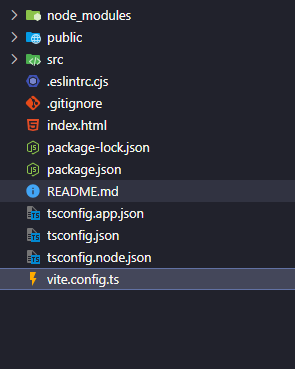
Your project directory should look something like this:
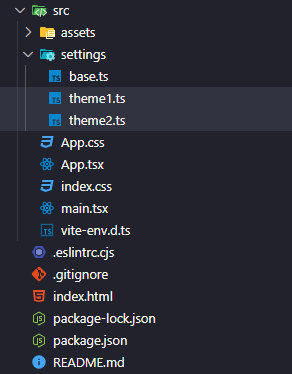
- Create a directory src -> settings. This directory will contain shared styles in base.ts and separate client themes like theme1.ts and theme2.ts.
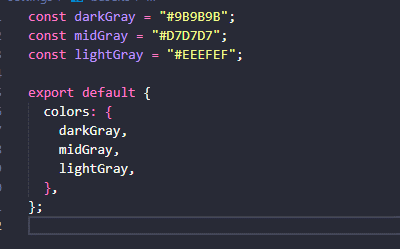
base.ts:
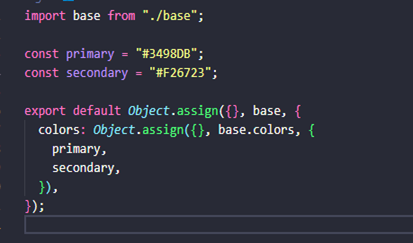
theme1.ts:
theme2.ts:
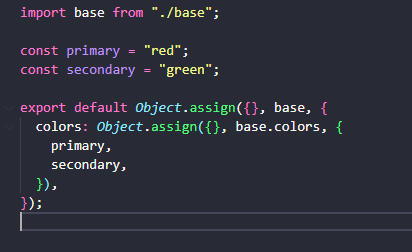
Now we’ll use TypeScript path aliases to switch which theme file is imported during compile/build time. This is useful when you want separate deploys of the same white label React app for different clients.
- Add baseUrl and paths to tsconfig.app.json:
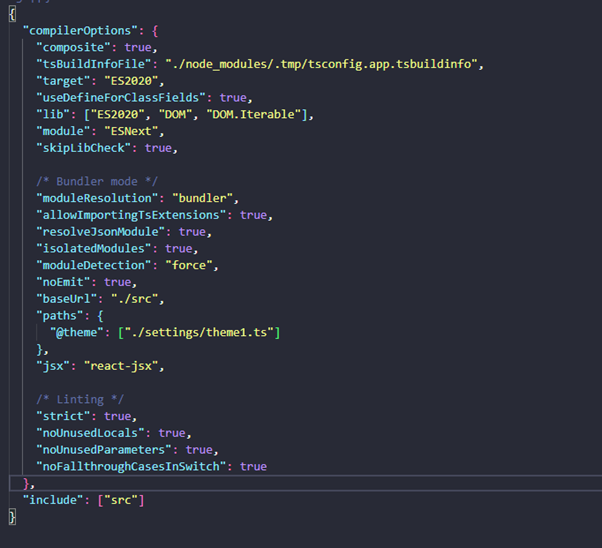
Here, we defined aliases under the paths key so the app can import a theme file through a stable alias instead of hardcoding the file path.
- Next, let Vite understand these aliases. Install: npm install vite-tsconfig-paths and update vite.config.ts:
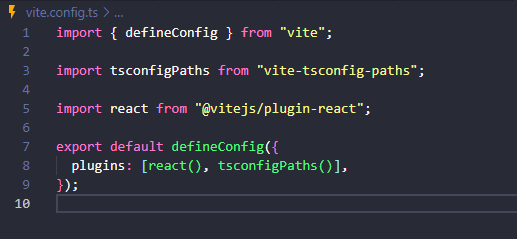
Now Vite will respect aliases defined in tsconfig.app.json.
- As an example, create a button component that reads the theme color dynamically.
Because the theme import is controlled by the alias, you can switch the source from [“./settings/theme1.ts”] to [“./settings/theme2.ts”] in tsconfig.app.json and generate separate builds for different clients:
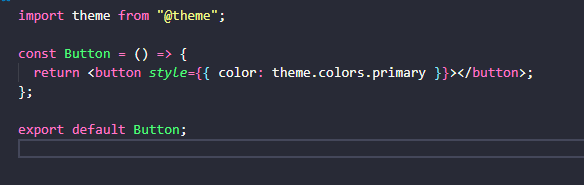
After updating tsconfig.app.json, restart the frontend dev server so the alias changes take effect.
Method 2: White labelling during run time
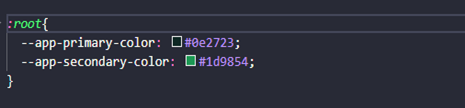
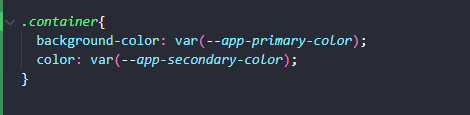
In this approach, the same deployed white label React app can switch branding dynamically after login. You define CSS variables (custom properties) and update them using CSSOM once you fetch branding values from an API (for example, from a /profile endpoint).
- Define default CSS variables at the :root level:
- Use these variables in component styles:
- After login, call an API (such as /profile) that returns primaryColor and secondaryColor. Then update CSS variables using CSSOM:

Here, primaryColor and secondaryColor are values fetched from your API. Updating –app-primary-color and –app-secondary-color at the root level automatically updates component styling across the application.
Conclusion
A white label React app can be achieved in two straightforward ways. If each client requires a separate deployment, compile/build-time theming is clean and predictable. If you need a single deployment that adapts after login, runtime theming with CSS variables and API-driven branding is usually the best approach.
In the last five years, we at CoReCo Technologies have worked with 60+ businesses across industries globally. We not only developed their products & platforms but also helped bring more clarity into their vision and strategy.
For more details about such case studies, visit us at www.corecotechnologies.com and if you would like to convert this virtual conversation into a real collaboration, please write to [email protected].


